camera-to-cloud-wedding
Camera to Cloud for Weddings: A Practical Guide for India

Camera to Cloud for Weddings: A Practical Guide for India
Camera to cloud for a wedding means your photos leave the camera and reach an online gallery while the event is still going on, instead of sitting on memory cards until you are back at the studio. Some cameras do this on their own over Wi-Fi. Others need a phone, a laptop or a small bridge between the camera and the internet. Either way, the goal is the same: the family and guests see the Haldi, Baraat or Sangeet pictures the same evening, and you are not chasing them for weeks.
This guide explains how the workflow runs from the first frame to the client’s phone, which cameras can do it, what to do with a DSLR that cannot, and what you need in terms of internet, power and storage at an Indian venue.
Its foreverstudio.itsforever.inShare Wedding Photos As They HappenIts Forever Studio helps photographers deliver curated event galleries through instant uploads, face recognition, and a single QR code for guests.Explore the photo delivery platform
TL;DR
Camera to cloud means sending selected photos online during the event, so guests and the couple can see them the same day.
Many newer Canon and Nikon cameras can send photos to the cloud over Wi-Fi. Older DSLRs usually need a phone or laptop in between.
Upload a curated stream, not every frame. Keep your full-resolution originals on cards and a second drive.
A stable connection, a power bank and a backup plan for poor venue internet matter more than the camera brand.
Share one QR code with guests, add face recognition, and keep the gallery private and branded.
Table of Contents
What camera to cloud really means at a wedding
How the workflow runs, step by step
Which cameras can send photos to the cloud
What if your DSLR cannot upload directly
What you need on the day: internet, power and storage
Guest access: one QR code, no app
Helping guests find only their photos
Privacy, consent and ownership
A sample wedding-day plan
Perspective
Put it to work with It’s Forever Studio
After the wedding: from quick gallery to final delivery
Mistakes to avoid
Sources
What camera to cloud really means at a wedding
In a traditional workflow, you shoot all day, copy the cards at night, cull, edit and deliver weeks later. A realistic delivery timeline published by an Indian studio puts delivery at around day 30 after the wedding, with backup and ingest on day one, culling over the first week, editing across the following weeks, then quality control and gallery assembly. That is a normal, sensible schedule for a full edited story.
Camera to cloud does not replace that. It adds a fast layer on top. While you shoot, a selection of images goes online straight away. The full edit still follows later. The couple’s relatives get something to look at in the meantime, and they are far less likely to ask “when will we get the photos?” every other day.
Think of it as two deliveries:
Same-day delivery: a small set of good, lightly corrected images, shared through a QR code or link.
Final delivery: the fully edited gallery, album selection and prints, on your usual timeline.
How the workflow runs, step by step
1. Before the wedding
Create the event gallery and decide who sees what. Set the branding, the privacy level and whether guests can download. Print or prepare the QR code so it is ready for the venue. Test the camera connection at home or in the studio, not in the mandap.
2. During the event
Shoot as usual, but set the camera to send either everything at a reduced size or only the frames you mark. Most photographers prefer to send marked frames or JPEG copies, because pushing large raw files over venue Wi-Fi is slow and eats data.
3. At the venue
Place the QR code where guests naturally pause: the entrance, the welcome desk, the dining area, the stage. Guests scan, open the gallery without installing an app, and find their pictures.
4. After the event
Upload the remaining selected images once you are on a good connection. Keep the originals safe. Start culling and editing, and let the same gallery grow into the final delivery.
Which cameras can send photos to the cloud
Not every DSLR can upload by itself, and the answer depends on the model and year. Two manufacturers publish clear details.
Canon. Canon’s own cloud service connects a Wi-Fi enabled Canon camera to the cloud and can store photos and movies automatically. According to Canon, Wi-Fi enabled cameras released from 2020 can transfer automatically in the background, and the Canon Camera Connect app can start transfers from a compatible camera to a smart device. Check your exact model on Canon’s page before you plan a shoot around it.
Nikon. Nikon’s SnapBridge app can automatically back up photos to a free cloud storage account, as well as sync with a phone or tablet. Nikon lists many mirrorless Z bodies and several DSLRs such as the D6, D780, D850 and D500 as compatible, and says Android users with SnapBridge 2.9 get compatibility with more older bodies. The list is long and model-specific, so confirm yours there.
These manufacturer services are built for personal backup. They are not wedding delivery tools: they do not give you a branded gallery, guest access by QR code or face recognition. That is why many photographers use the camera’s connection only as the first leg, getting images to a phone or laptop, and then use a delivery platform for the second leg.

What if your DSLR cannot upload directly
Most working wedding photographers still carry bodies that predate built-in cloud features. You have several options, and none needs expensive gear.
Option 1: Camera to phone to gallery
If your camera has Wi-Fi or Bluetooth, the manufacturer’s app can pull selected images to your phone. From the phone you upload to your gallery. This works well for JPEGs and for a second shooter or assistant who handles the phone while you keep shooting.
Option 2: Card reader and laptop at a quiet corner
An assistant takes a card at a natural break, copies it to a laptop, picks the best images, and uploads. This is the most dependable method for cameras without Wi-Fi. Swap cards at a planned time, such as after the Pheras or between functions, and note which card went where so nothing is lost.
Option 3: Tethered or wired setup
For a fixed spot, such as a stage backdrop or a portrait corner, a cable to a laptop sends frames as you shoot. It suits studios and reception stages more than a moving Baraat.
Option 4: Dual card slots
If your camera has two slots, write raw to one and a smaller JPEG to the other. The JPEG card is the one your assistant takes for same-day upload, while the raw card stays untouched in the camera.
Whichever you choose, assign one person to the upload job. A photographer who stops shooting to check upload status misses the moment the couple walks in.
What you need on the day: internet, power and storage
Internet
Venue Wi-Fi at banquet halls, farmhouses and destination resorts is often shared with hundreds of guests and can drop during peak hours. Plan for this.
Carry a dedicated mobile hotspot or a 5G or 4G router with a data plan, and test the signal at the venue during the site visit.
Keep a second SIM from a different network as a fallback.
Upload smaller JPEGs during the event and larger files later.
Use a platform that queues uploads and resumes when the connection returns, so a dropped signal does not mean starting again.
A rough sense of the load helps. At a typical wedding, 3,000 to 5,000 frames are captured and about 400 to 800 are finally delivered. Your same-day set will be a fraction of that, perhaps a few dozen to a couple of hundred images per function, which is very manageable on a decent mobile connection.
Power
Phones, hotspots and laptops drain fast when they upload constantly. Carry power banks for the phone and hotspot, an extension board for the laptop, and spare camera batteries. Wi-Fi on the camera itself uses more battery, so carry more spares than you normally would.
Storage and backup
Cloud is a convenience layer, not your only copy. A widely used approach is the 3-2-1 rule: three copies, on two kinds of media, with one copy offsite. An Indian guide on backup says that in places with limited connectivity you should rely on an SSD and treat the cloud as the offsite layer. In practice:
Keep the original cards until the final gallery is delivered and approved.
Copy cards to a laptop or SSD the same night.
Keep a second drive in a different bag or location.
Let the cloud hold the delivery gallery and an offsite copy.
Guest access: one QR code, no app
The fastest photo is useless if guests cannot find it. Sharing several links across WhatsApp groups creates confusion: people miss the message, open the wrong link, or ask you to resend. A single QR code is simpler. Guests scan it with the phone camera and the gallery opens in the browser, with no app to install.
For weddings with several functions, make the structure clear: one event, with folders for Haldi, Mehendi, Sangeet, Baraat, Pheras and Reception. Guests who attended only one function should not have to scroll through four days of pictures.
Our page on QR code photo sharing for weddings covers how this works, and our guide to wedding photo sharing for Indian weddings goes through where to place the code and how to introduce it to guests.
Helping guests find only their photos
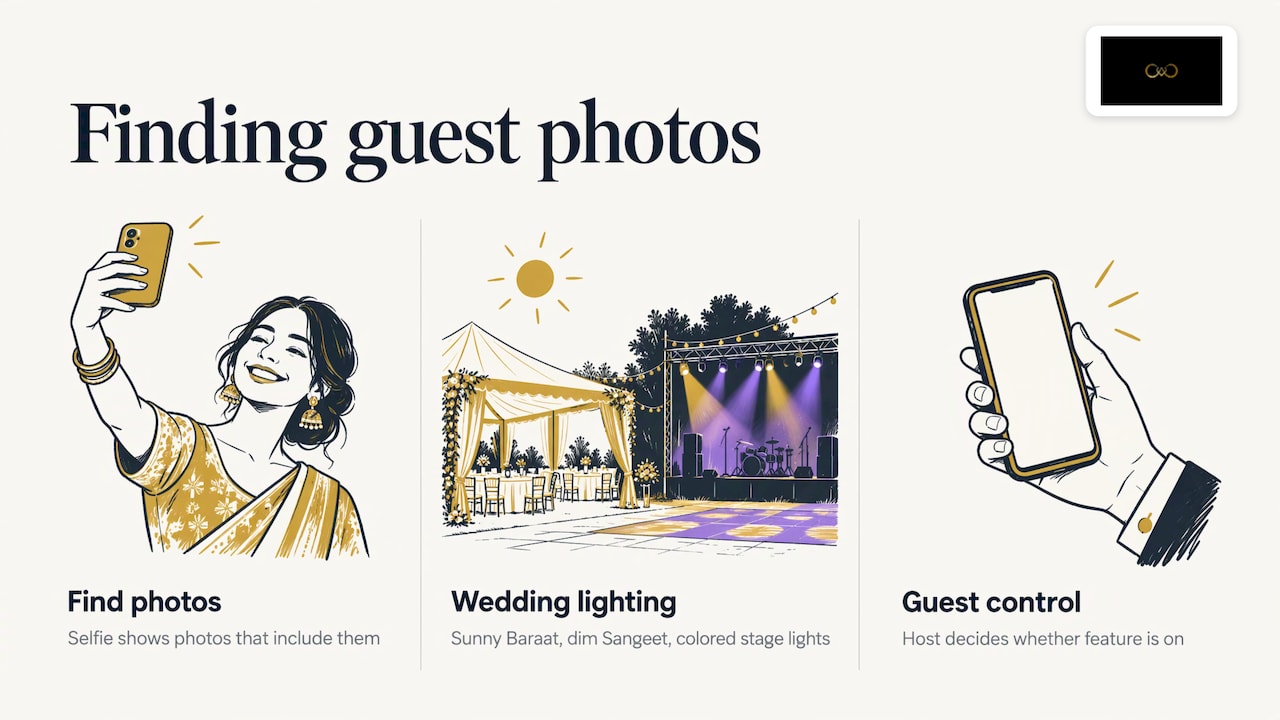
A 600-photo gallery is overwhelming for an aunt who wants the three pictures she is in. Face recognition solves this: the guest takes a selfie and sees the photos that include them. Indian weddings are a hard case for this. The lighting changes between a sunny Baraat, a dim Sangeet and a stage lit with coloured lights, and group photos are crowded. Our face recognition photo sharing is designed with these conditions in mind.
Tell guests clearly that selfies are used only to find their photos, and let the host decide whether the feature is on at all.
Privacy, consent and ownership
Wedding pictures show families, children and sometimes private rituals. Treat the gallery with that in mind.
Access control: use a private gallery, with the host choosing who can view and download.
Contract first: write down in your contract how photos will be shared online, who can access them, and how long they stay online.
Copyright and use: under India’s Copyright Act, 1957, the photographer is generally the first owner of the copyright, and clients receive usage rights as defined in the contract. One Indian industry source notes that using client images for marketing needs explicit consent. Add a clause for portfolio and social media use, and ask the couple to tick it.
Data location: some Indian providers recommend keeping wedding photo data in India unless the client consents otherwise. Ask your delivery platform where it stores data and mention it in your contract if your clients care.
For anything specific to your studio, such as how long to keep biometric-style data like face matches, speak to a lawyer familiar with Indian data protection rules.
A sample wedding-day plan
Here is how a two-person team could run a Sangeet night.
Afternoon: the assistant sets up the hotspot, tests upload speed and checks the QR code opens the correct gallery.
Doors open: the QR code goes on the entrance board and the DJ announces it once.
During the night: the lead photographer shoots raw plus JPEG. Every 45 to 60 minutes the assistant takes the JPEG card, copies it to the laptop, picks 30 to 50 images and uploads.
End of night: both cards are copied to two drives. The assistant confirms the uploaded count matches the selection.
Next morning: the couple and family already have the pictures, and you begin proper culling.
The result is a wedding where the photographer is visibly part of the celebration, and the family is already talking about the pictures before the last guest leaves.
Perspective
We built It’s Forever Studio after seeing the same problem at wedding after wedding: the photographs are good, but delivery turns into a pile of links, files and reminders.
Our view is that delivery should start at the event, not weeks later. Instant uploads from the camera, a single QR code for guests, and face recognition tuned for Indian wedding light mean the family gets their pictures without installing anything and without asking you to resend.
We also think the gallery should belong to your brand. It should carry your name, handle album selection and let guests reach you, so a happy cousin can become your next enquiry. And privacy should sit with the host, not with whoever has the link.
That is what we aim for: less chasing for you, a calmer experience for the couple, and a delivery that makes people remember the photographer.
Gowtham
Put it to work with It’s Forever Studio
If you want camera-to-cloud delivery without stitching several tools together, It’s Forever Studio is built for it. You get instant uploads from your camera, QR code access for guests with no app, AI face recognition tuned for Indian wedding lighting, branded galleries, online album selection and privacy controls for the host and guests.

See how instant photo delivery fits into your shoot day, and how wedding photography leads can turn guests into future clients. Pricing is pay-as-you-go, based on the storage you use and the duration of the event, with no fixed plans or yearly subscription.
After the wedding: from quick gallery to final delivery
The same-day gallery is a preview, so say that to the client. Tell them the full edit follows on the timeline in your contract, and that the fast set is there so everyone can enjoy the day while it is fresh.
When the final edit is ready, the album stage comes next. Letting the couple pick and approve spreads online avoids long WhatsApp threads and lost feedback. Our guides on album selection for photographers and online album proofing walk through that part, and our post on how to deliver event photos pulls the whole process into one workflow.
Mistakes to avoid
Uploading everything at full size: it clogs the connection. Send smaller JPEGs during the event.
Skipping the venue test: check signal and power points during the site visit.
No backup of originals: the cloud is not a replacement for cards and drives.
Posting too much too soon: a well-chosen set looks professional. A raw dump does not.
Forgetting to tell guests: a QR code nobody notices does nothing. Use a board, a table card and a mention from the host.
Leaving privacy as an afterthought: decide access rules and consent before the event.
FAQ
Can I use camera to cloud with an older DSLR?
Yes, but usually with a helper device. If your camera has no Wi-Fi, use a card reader and laptop, or a camera-to-phone transfer if it supports one. Confirm your model’s features on the manufacturer’s page before the event.
Should I upload raw files during the wedding?
It is usually better not to. Raw files are large and venue internet is unpredictable. Send JPEG copies or marked selects during the event, and keep raw originals safe for editing and final delivery.
What if the venue has no internet?
Carry your own hotspot with a data plan from a network that works at the location, and a fallback SIM. If there is still no signal, shoot as normal, keep cards safe and upload as soon as you reach a connection. Your original files are protected either way.
Do guests need to install an app to see their photos?
No. With a QR code, guests scan with their phone camera and open the gallery in the browser. With face recognition, they take a selfie and see their own photos.
Is camera to cloud safe for client privacy?
It can be, when you use private galleries, host-controlled access and a clear contract about sharing and usage. Choose a platform that lets you manage access, and ask your lawyer about data rules for your studio.
Sources
Recommended
Deliver photos to every guest — instantly.
Forever handles instant delivery, QR sharing, and face recognition — all in one place. Try it free.
Start for free →